Mobile gambling apps make casino games easy to access, but convenience does not automatically equal safety.
An app may look professional, load quickly, and offer familiar games while still operating without proper licensing or adequate security controls.
So, are Mobile Casino Apps safe? Some can be reasonably secure when they come from licensed operators, use protected account systems, and follow recognised app-store and gambling regulations.
Others may expose users to fake payment pages, stolen login details, excessive data collection, or unfair withdrawal practices.
The key is knowing what to check before installing an app or depositing money. A few quick checks can reveal much more than ratings, screenshots, or promotional claims.
Start by Checking the Gambling Licence
A legitimate gambling app should clearly identify the legal company operating it and the authority that regulates it.
Do not trust a licence logo displayed inside the app without verifying it. Visit the regulator’s official public register and search for the company name, licence number, and exact website domain connected to the app.
For example, the UK Gambling Commission states that the company owning a gambling website or app must hold the appropriate licence to serve customers in Great Britain. Its public register lets users check licensed businesses and their trading names.
Download the App From a Trusted Source
Official app stores create an extra layer of screening, although their presence does not replace gambling-licence verification.
Google Play only permits real-money gambling apps in selected locations when operators complete its application process and provide valid local gambling licences.
Apple also requires real-money gaming apps to hold the necessary permissions, restrict access geographically, and be distributed free of charge.
Avoid installation files sent through random messages, social media ads, or unofficial download pages. A fake APK can copy the logo and name of a real casino while containing malicious code.
Review the Permissions It Requests
A casino app may reasonably need internet access, notifications, or camera access when you choose to scan an identity document.
It normally does not need continuous access to your contacts, microphone, calendar, or unrelated files. Excessive permissions can create unnecessary privacy risks.
OWASP recommends that mobile applications request only the permissions required for their actual functions. Users should question any request that has no clear connection to account security, verification, payments, or game use.
Protect Your Login Details
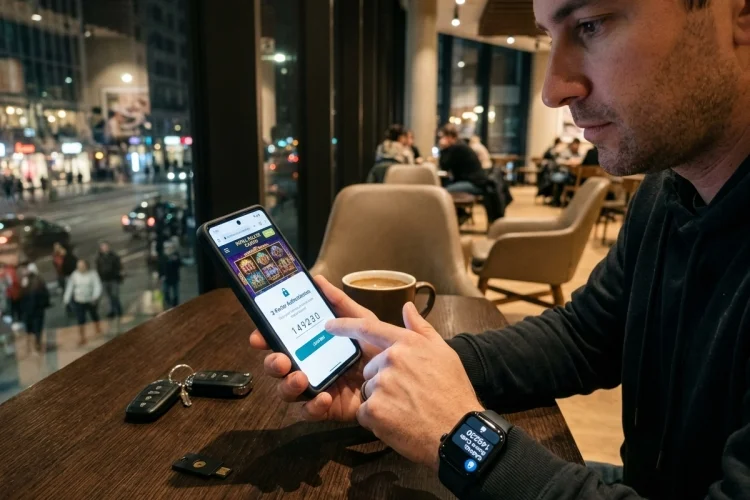
A secure app should support strong passwords and ideally offer multi-factor authentication or biometric login.
Use a unique password that you do not use for email, banking, or social media. Reused passwords become dangerous when another service experiences a data breach.
OWASP’s mobile security standard treats authentication and authorisation as core protections against unauthorised access to sensitive user information.
You should also be cautious of messages asking you to “verify” your account through an unfamiliar link. Open the official app directly instead.
Keep the App and Device Updated
Security weaknesses are often corrected through app and operating-system updates.
Install updates from the official store rather than downloading replacement files from third-party websites. Google Play Protect can scan apps for potentially harmful behaviour and may warn, disable, or remove suspicious software.
An outdated phone may no longer receive important security patches. When possible, avoid using financial or gambling apps on rooted, jailbroken, or unsupported devices.
Avoid Sensitive Transactions on Public Wi-Fi
Public wireless networks at cafés, hotels, or airports may be poorly secured.
CISA warns that open Wi-Fi can allow attackers to intercept sensitive information entered during online transactions. Using a trusted mobile-data connection or private home network is generally safer for deposits, withdrawals, and identity verification.
If you must use public Wi-Fi, avoid accessing payment pages or uploading personal documents until you are on a more secure connection.
Look for Player-Control Tools
A trustworthy app should make account limits and safer gambling tools easy to find.
Depending on the licensed market, these may include deposit limits, time-outs, session reminders, transaction history, and self-exclusion. In Great Britain, licensed operators must take reasonable steps to prevent self-excluded customers from gambling.
These features do not make gambling risk-free, but they provide useful ways to manage time and spending.
Some Mobile Casino Apps can offer a reasonably safe experience, but only when the operator is licensed, the download is genuine, and the app handles accounts and personal information responsibly.
Before installing anything, verify the company through the regulator’s official register, use a trusted app store, review permissions, and enable stronger login protection.
Keep your device updated and avoid completing payments over open Wi-Fi. Most importantly, confirm that limits and self-exclusion tools are available.
Complete these checks before depositing, and uninstall any app that hides its ownership, licence, or privacy practices.